- 0
- 650 words
A new version of Razer’s iconic Viper Pro mouse is here, alongside a set of new mousepads to really elevate the experience.
The Viper V4 Pro has been announced by Razer, bringing new-age tech into one of the company’s most popular mouse shapes, right beside the DeathAdder.
I’ve been testing it over the last few weeks, and it’s safe to say that Razer continues to knock it out of the park – but not without at least one glaring issue.
Key Specs
- Weight: 49g
- Connectivity: HyperSpeed Wireless Gen-2
- Buttons: 8
- Switches: Optical Mouse Switches Gen-4
- Sensor: Focus Pro 50K Optical Sensor Gen-3
- Maximim DPI: 50k
- Battery Life: 180 hours at 1000 Hz
Check Price Razer Viper V4 Pro
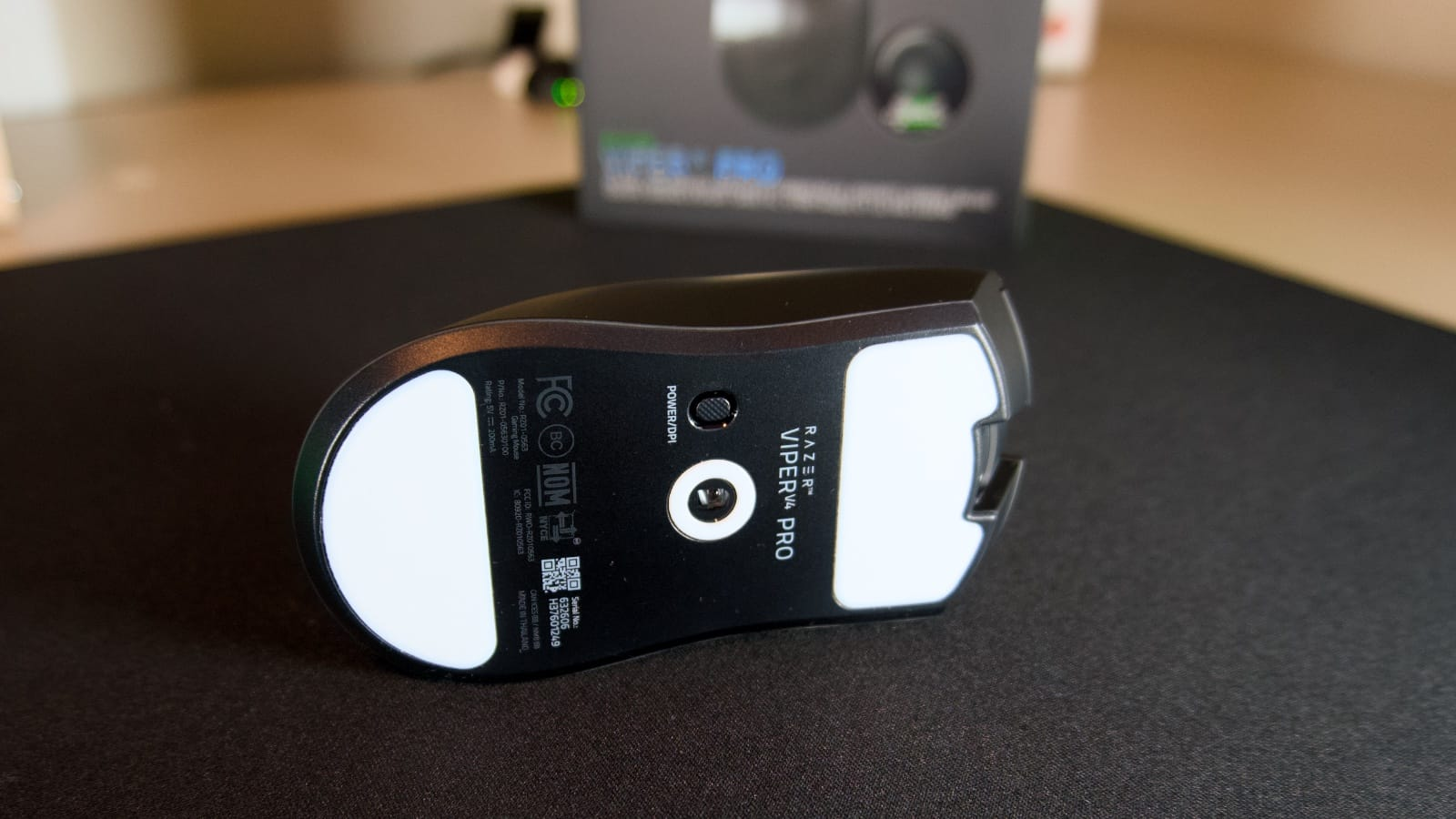
Design, Features, Performance
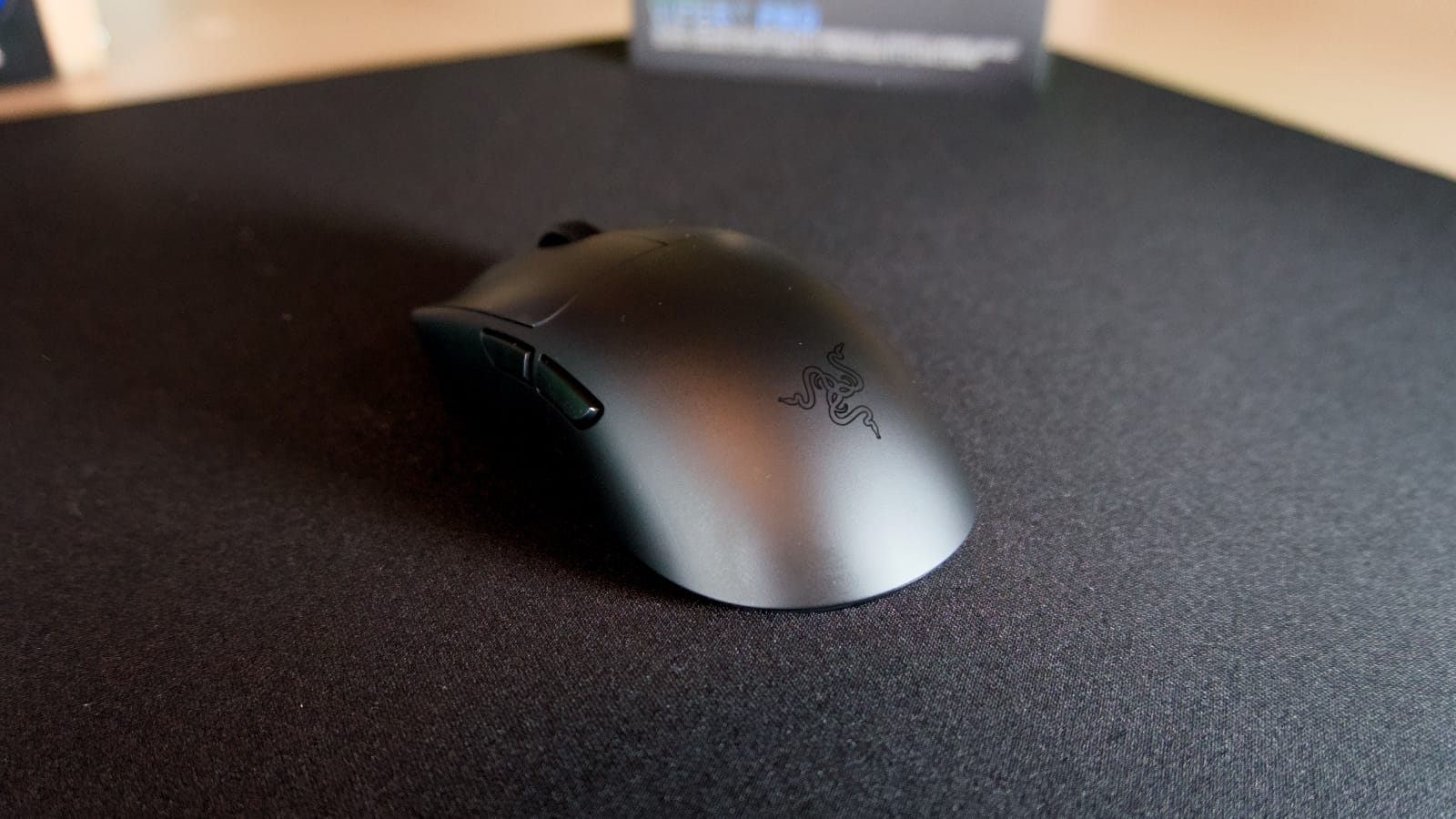
Just like the DeathAdder V4 Pro I reviewed last July, the Viper V4 Pro is another one of Razer’s sleek black mouse designs with just the snake logo on the back side of it. Just like the other Pro mice, there’s no RGB, which helps extend battery life at higher refresh rates.
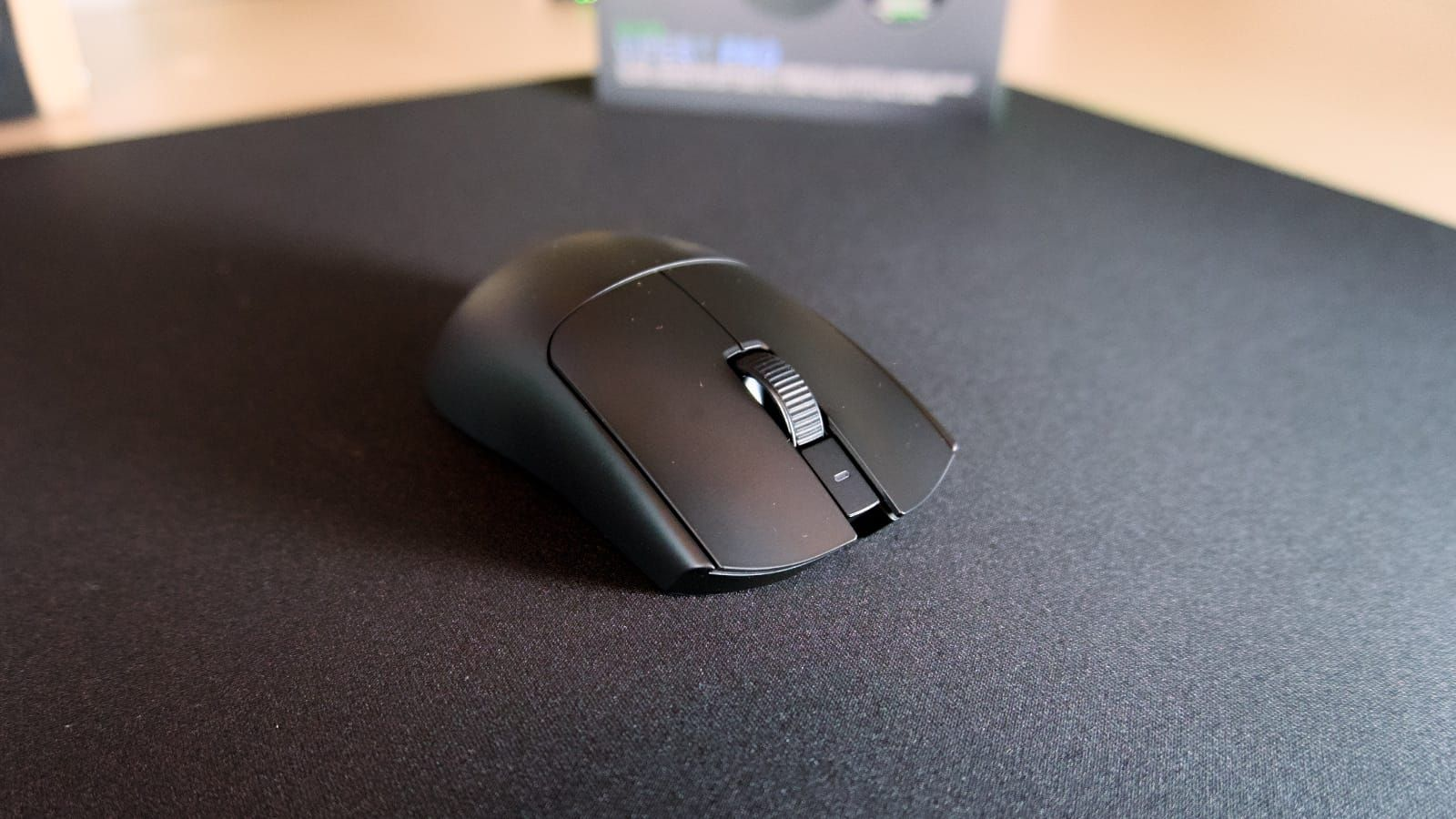
Just as you would expect, though, the inside is where the Viper V4 Pro really shines. Low-latency HyperSpeed Wireless Gen-2 and true 8000 Hz polling make the mouse deliver 55% lower latency than the Viper V3 Pro, and its super smooth optical scroll wheel has helped me scroll through my weapons faster than ever.
It’s got higher sensitivity than previous versions, too, as the Viper V4 Pro features Razer’s new 50k DPI Gen 3 optical sensor. Despite making all these improvements, the mouse is lighter than ever at just 49g for the black model I reviewed. Razer says it has “improved industrial strength” despite the weight, but in reality, you won’t notice much of a difference. It’s a premium lightweight mouse that feels like a very premium and lightweight mouse.
All these improvements have helped Razer achieve 180 hours of battery life on the Viper V4 Pro, and from my testing over the last few weeks, I can say that it is going to be pretty accurate at 1000Hz. However, you raise that up to the full 8000 Hz for max performance, and you’ll be charging the mouse at least once a week. You can continue to use it while it’s charging, of course, so don’t worry too much about it.
Razer has paired the Viper V4 Pro with the same Hemisphere dongle design that it introduced with the DeathAdder V4 Pro, and I still love every bit of it. It stays on the desk a lot better than previous designs, and having the ability to quickly glance at connection status, battery life, and polling rate is nothing but a benefit.
Now the caveat, and I’m going to preface this by mentioning this may very likely be a me problem.
Razer put the same high-quality but super loud Gen-4 optical switches found in the DeathAdder V4 Pro and Cobra HyperSpeed underneath the two main buttons, and I really wish they hadn’t.
I managed to deal with it in the DeathAdder, but was starting to get annoyed by the noise in the Cobra HyperSpeed, and now, I’m just wondering why they haven’t changed it up at all. Sure, esports players up on stage likely aren’t going to be bothered by the sound, but all I can think of is the at-home market. For example, a father of a sleeping newborn trying to get a couple of ranked rounds of CS2 before he goes to bed.
Verdict – 4.5/5
As usual, Razer has knocked it out of the park with the release of the Viper V4 Pro. It’s wonderfully built, performs great, and is a mouse that Razer should be proud of.
However, the continued use of its overly loud Gen-4 switches under the main buttons has left me quite frustrated, so it’s just shy of being perfect for me.
Author

trmviet0801@gmail.com
Related posts
Ultimate Sim Racing Upgrade: Simucube 2 Pro and Simucube ActivePedal Bundle Review
- 0
- 639 words
If you are a serious sim racer, you know that the quest for the perfect lap time never truly ends. You are...
Read out all
Ultimate Simucube 2 Pro Bundle Review: Is the SRB OMPX GT Wheel the Best Direct Drive Combo for 2026?
- 0
- 678 words
If you are looking to upgrade your sim racing rig to a professional-grade setup, you have likely come across the legendary Simucube...
Read out all
The Ultimate Direct Drive Upgrade: Ascher Racing McLaren Artura and Simucube 2 Pro Bundle Review
- 0
- 699 words
Finding the perfect balance between high-end force feedback and authentic steering wheel ergonomics is often the most challenging part of building a...
Read out all
Simucube ActivePedal Pro Review: The Ultimate Set of 2 for Professional Sim Racing
- 1
- 631 words
For dedicated sim racers, the quest for the ultimate immersion often leads to a single realization: traditional passive pedals can only take...
Read out all
The Ultimate Simucube ActivePedal Pro Guide: Revolutionizing Force Feedback and Sim Racing Performance
- 0
- 718 words
For years, the sim racing industry has relied on mechanical hardware to mimic the sensation of driving. We have used elastomers, springs,...
Read out all
The Ultimate Simucube ActivePedal Review: Why This Is the Future of Sim Racing
- 0
- 666 words
If you are a serious sim racer, you know that the brake pedal is the most important piece of equipment in your...
Read out all